The Sonos app, redesigned with taste.
Sonohaus is a free macOS controller that looks as good as your speakers sound.
The official Sonos app feels like a mobile app stapled to your Mac. Sonohaus is different — a native desktop experience styled after the vintage stereo receivers that made hi-fi worth caring about in the first place.
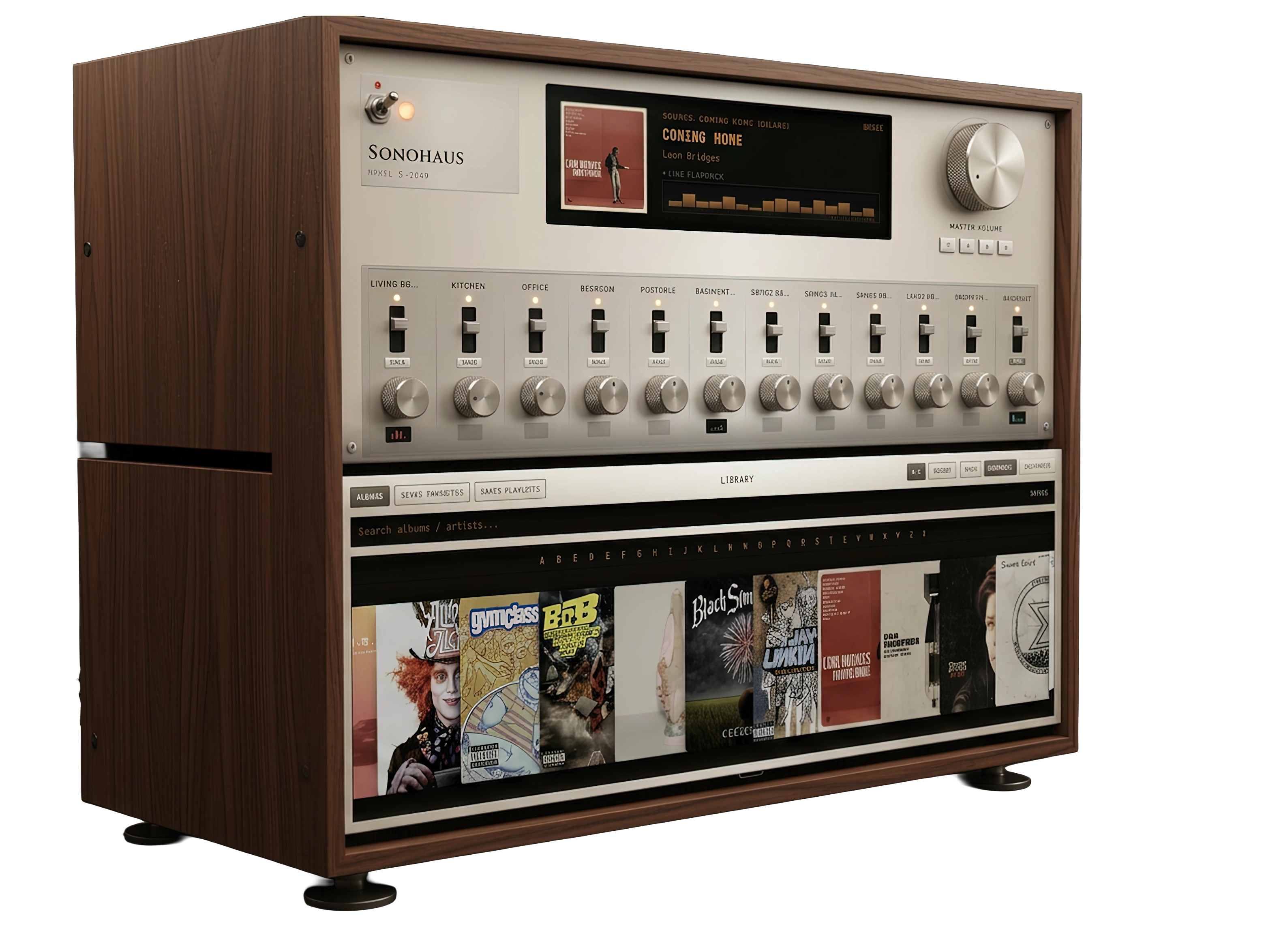
Built like the gear you grew up with.
A single desktop console for your whole home — faders, solo, and a live display that stays out of your way.

Up and running in three steps.
Download the App
Grab the DMG, drag to Applications, done. On first launch the app walks you through everything else.
Install the Bridge
A tiny background service that lets the app talk to your Sonos speakers. The app detects if it's missing and walks you through a one-line install.
Connect Spotify
Optional — browse saved albums and playlists from the console. Sonohaus works fully without it; see our Spotify setup guide (~2 min, one-time).
Spotify library setup
Sonohaus controls your Sonos system out of the box — no Spotify account required. If you want to browse your saved albums and Spotify playlists inside the app, Spotify requires each person to register a free developer app. It takes about two minutes, once per user. That is Spotify policy for public apps, not a Sonohaus limitation.
In the app
-
1
Open Setup
In Sonohaus, go to Library and tap Setup in the top bar.
-
2
Create a Spotify app
Visit the Spotify Developer Dashboard, log in, and click Create app. Name it anything (e.g. “My Sonohaus”).
-
3
Add the redirect URI
In app settings, add this redirect URI exactly (copy below):
http://127.0.0.1:38901/callback -
4
Paste your Client ID
From the dashboard, copy the app’s Client ID into Setup and tap Save.
-
5
Connect
Tap Connect, sign in with Spotify in your browser, then return to Sonohaus. Your library loads automatically.
Common questions
- Why can’t I just sign in?
- Spotify only allows a handful of users on a shared developer app. Public apps like Sonohaus must use your own credentials — or Spotify’s extended partner program, which requires a much larger service.
- I see “user is not registered for this application”
- You connected with credentials that aren’t yours. Tap Disconnect, open Setup, paste the Client ID from your Spotify developer app, save, and connect again.
- Is this free? Do I need to code?
- Yes, it’s free. No coding — create the app in Spotify’s dashboard, copy one ID, paste it in Sonohaus.
- Can I skip Spotify entirely?
- Absolutely. Room control, volume, now playing, Sonos favorites, and Sonos playlists all work without Spotify setup. Spotify is only for browsing your personal saved library inside Sonohaus.
Need help? Open an issue on GitHub or email via the project page.
Free to download. Takes 30 seconds.
No account. No subscription. No catch. Just a better way to run your Sonos system.
Download for Mac — FreeApple Silicon Mac · macOS 10.15 or later. The download is ARM64-only; Intel Macs are not supported.